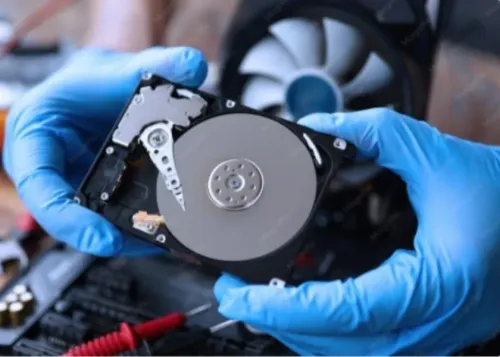
Hard drives are the backbone of our digital life. Whether it's personal memories or corporate data — everything is stored in that small spinning device. But what happens when it stops working?
As professional data recovery experts at #NDRLabs, we’ve seen thousands of drives fail — some due to hardware faults, and others because of avoidable human mistakes.
Here are the top 10 reasons why hard drives fail — and how you can avoid them.
---
⚠️ 1. Physical Shock or Impact
🔍 Reason:
Dropping your laptop or external hard drive, even once, can damage internal components like the read/write heads or platters.
✅ Avoid This:
Handle drives carefully.
Use padded covers for laptops & HDDs.
Never move the drive while it's powered on.
---
🔥 2. Overheating
🔍 Reason:
Lack of proper ventilation or heavy usage can cause your drive to overheat, damaging internal circuits and platters.
✅ Avoid This:
Ensure proper airflow in desktops.
Avoid using laptops on beds/cushions.
Use external cooling pads if required.
---
⚡ 3. Power Surges or Sudden Shutdowns
🔍 Reason:
Voltage fluctuations or abrupt power cuts can corrupt firmware or damage controller boards.
✅ Avoid This:
Always use surge protectors.
For desktops, install a UPS system.
Avoid force shutdowns.
---
💾 4. Bad Sectors on Disk
🔍 Reason:
Over time, platters develop bad sectors, making the data unreadable. If not addressed early, this spreads.
✅ Avoid This:
Regularly run disk check tools (chkdsk, SMART tools).
Clone old drives to new ones proactively.
---
🧲 5. Firmware Corruption
🔍 Reason:
Firmware is the brain of the drive. If it gets corrupted, your drive becomes undetectable.
✅ Avoid This:
Avoid using cracked cloning software.
Don't interrupt updates or formatting processes.
---
💥 6. Mechanical Component Failure
🔍 Reason:
Moving parts like spindle motor or read/write head can wear out or get stuck.
✅ Avoid This:
Avoid using the drive continuously for long hours.
Don’t ignore weird clicking or grinding sounds — shut it down and call a professional.
---
🔌 7. Connector or PCB Damage
🔍 Reason:
Loose USB ports, burnt PCBs (due to heat or surge), or damaged SATA connectors can make the drive unreadable.
✅ Avoid This:
Use quality cables.
Don’t yank cables while in use.
Avoid plugging into faulty ports.
---
🧹 8. File System Corruption
🔍 Reason:
Sudden disconnections, improper shutdowns, or virus attacks can corrupt the file system, making data inaccessible.
✅ Avoid This:
Always safely eject drives.
Use reputed antivirus software.
Avoid pirated software.
---
🌧️ 9. Water or Liquid Damage
🔍 Reason:
Spilled tea, rain, or accidental dips are common drive killers.
✅ Avoid This:
Keep drives away from drinks.
Use waterproof bags for laptops.
If it happens, don’t turn it on – visit a recovery lab.
---
👨💻 10. Human Error (Formatting/Deleting)
🔍 Reason:
Accidental deletion or formatting is one of the most common reasons for data loss.
✅ Avoid This:
Double-check before formatting.
Create partitions carefully.
Always keep backup of critical data.
---
🚨 What to Do If Your Drive Fails?
1. Stop using it immediately.
2. Don’t try random software – it can worsen the case.
3. Contact professional data recovery experts like us at NDRLabs.
We handle all types of failures — from clicking drives to firmware-locked, SMR, RAID, or platter-scratch cases.
---
🙌 Final Thoughts
Hard drives are not immortal. But with smart usage and awareness, most failures can be prevented. If your data is important — take backups regularly, handle drives responsibly, and know when to seek help.
Keywords